 DayFill한국어
Sign-up forms, order forms, and seller applications:
save once and fill them with one shortcut
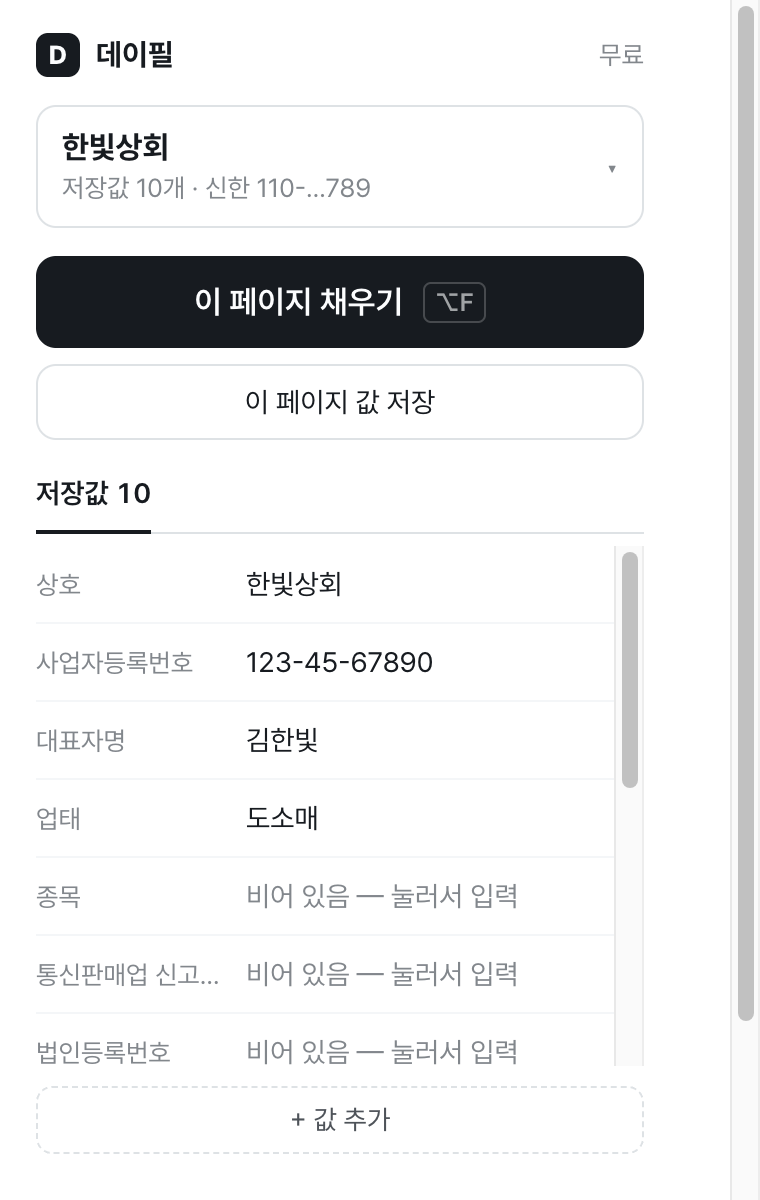
DayFill is a Chrome extension that saves your name, contact details, address, shipping address, settlement account, and business information, recognizes form fields on web pages, and fills them at once. Your saved values stay only in your browser and are not sent to a server.
Coming soon to the Chrome Web Store View plans
What it does
Recognizes field names
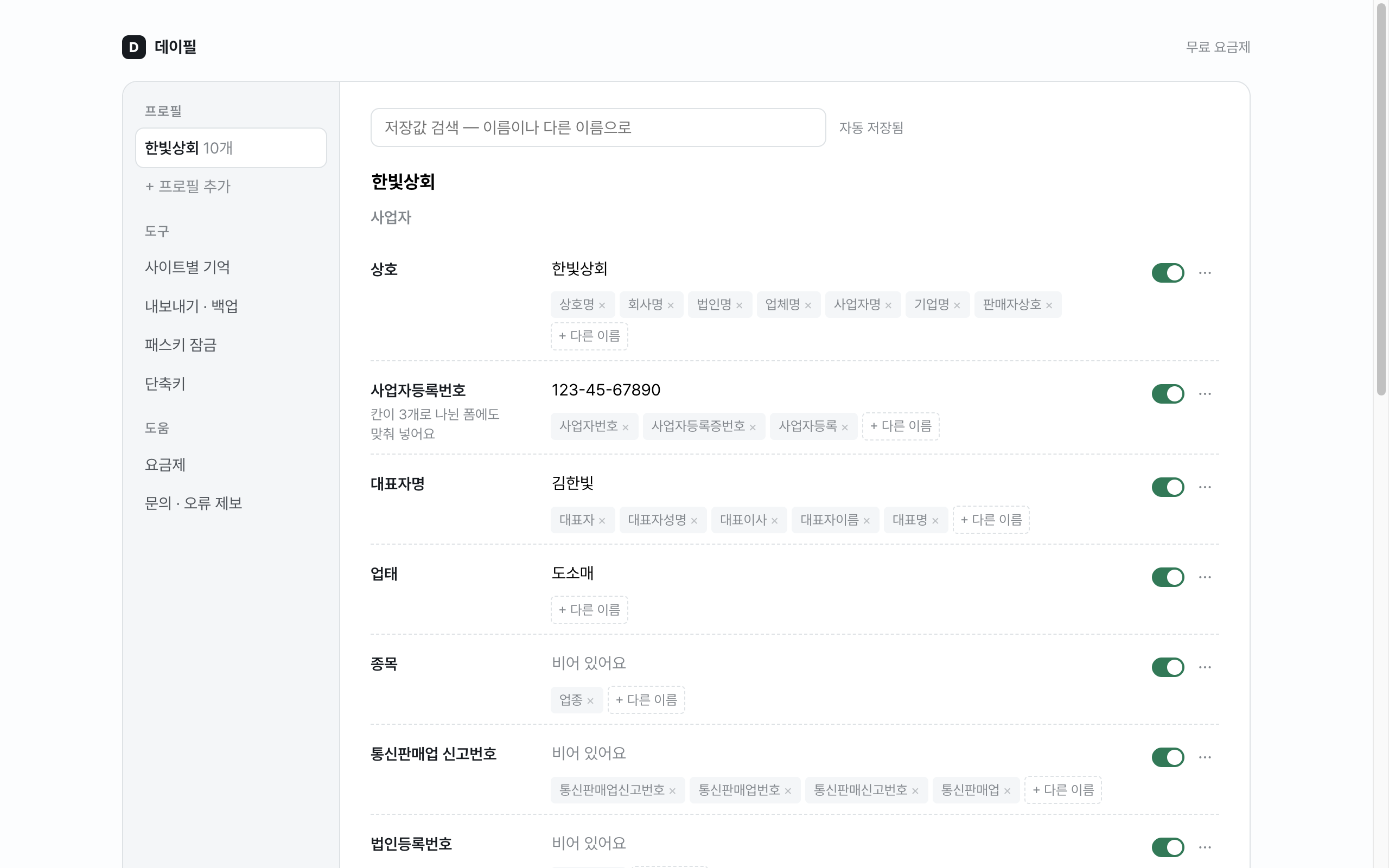
It recognizes different names used by each site, such as “account holder” (예금주), “depositor name” (입금자명), and “account owner” (계좌주), as the same field. It includes a dictionary made for Korean forms.
Fills split fields too
It splits and fills fields such as the three parts of a business registration number or mobile phone number, and finds and selects the bank name from bank selection lists.
Asks when it is not sure
If it is not sure what a field is, it leaves it as “Needs confirmation” instead of filling it. It does not overwrite fields that already have a value.
Keeps separate profiles
Start with business, personal, shipping address, overseas shopping, settlement account, and freelancer templates, then choose different values for each situation.
Your saved values stay in your browser
- Saved values are stored only in Chrome’s
chrome.storage.localand are not sent to DAYLAB servers. - The fill script runs only in the tab where you press the shortcut or button, and only when you press it.
- You can export a backup file protected with a password you choose and move it to another device.
See the Privacy Policy for details.
Plans
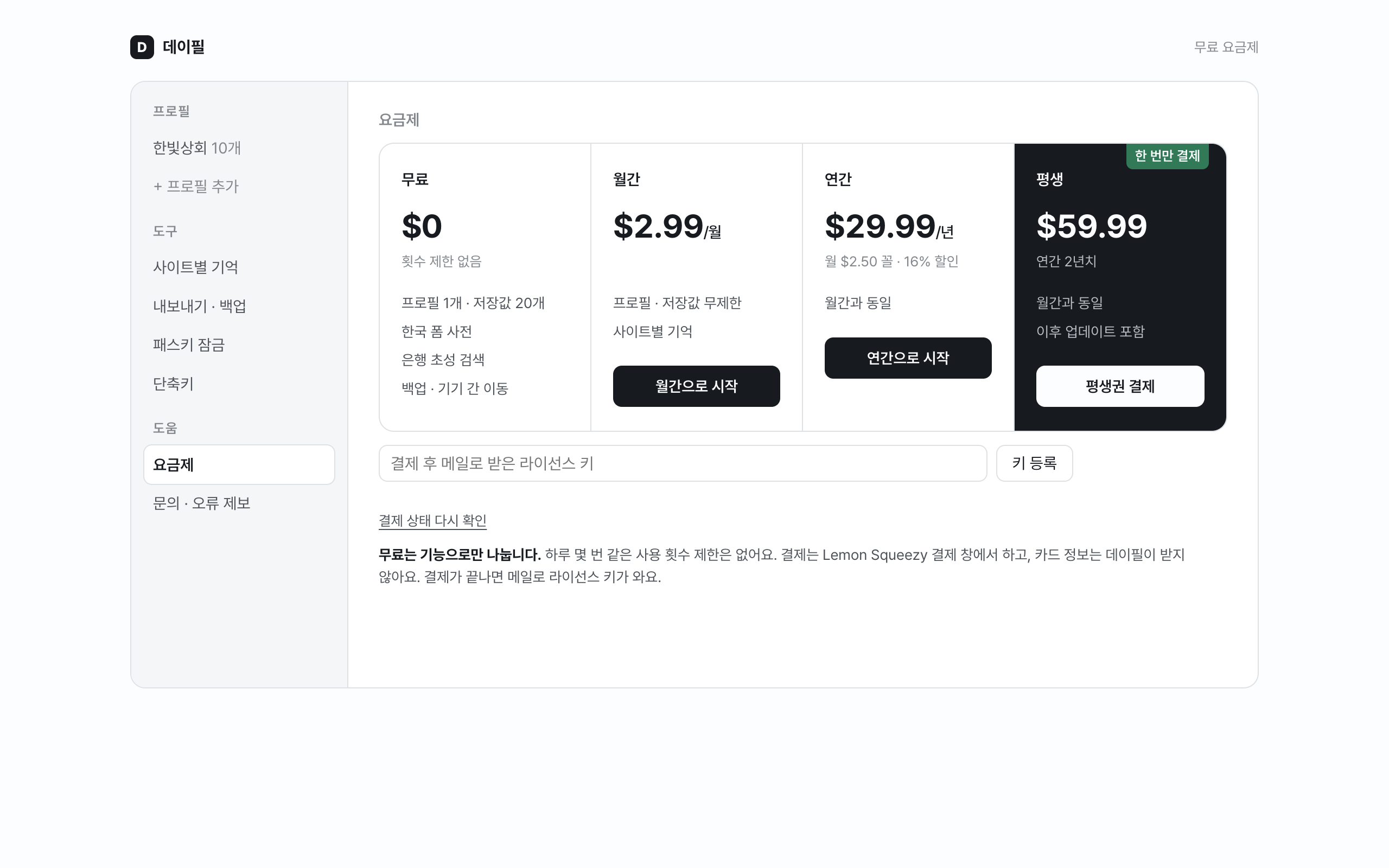
The free plan is limited only by features. There are no usage limits such as a number of times per day.
Free
$0
- 1 profile · 20 saved values
- Form dictionary (20 languages)
- Bank search by Korean initial consonants
- Backup · move between devices
Monthly
$2.99/mo
- Unlimited profiles · saved values
- Per-site memory
Yearly
$29.99/yr
- Same as Monthly
- About $2.50/month
Lifetime
$59.99 one-time
- Same as Monthly
- Future updates included
Payment is made through a Polar checkout window from the plans screen in the extension. After payment, you will receive a license key by email, and each key can be registered in up to three browsers. DayFill does not receive your card information. Try the free plan before payment — after registering a license key, refunds are limited under the Refund Policy.
Frequently asked questions
Will it fill every site?
Form structures differ by site, so it cannot promise every field. Check first on sites you use often with the free plan. You can send fields that do not fill through “Contact · Report an issue” at the bottom of the extension popup.
Do my saved values disappear if I cancel my subscription?
No. Your saved values remain, and you can keep using or exporting them within the free plan’s limits.
Where can I get support?
Please email contact@daylab.dev.